Portrait & Landscape layouts
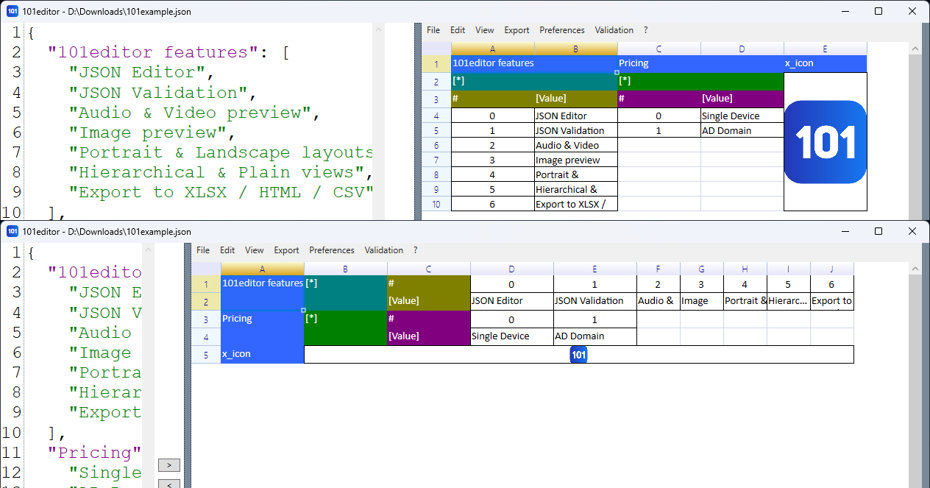
Description
There are three layout modes: Auto | Portrait | Landscape
Steps
By default "Orientation - Auto" option is enabled.
In order to switch layout - please click
- "Orientation - Auto"
- "Orientation - Portrait"
- "Orientation - Landscape".
in menu "View".
If "Auto" options is selected and amount of properties is lower that amount of array elements the spreadsheet will be rendered in Portrait mode.
In Portrait mode the object properties are positioned in row from LEFT to RIGHT, while array elements are displayed from TOP to BOTTOM.
In Landscape mode properties are positioned from TOP to BOTTOM, while array elements are displayed from LEFT to RIGHT.