Command Line Tool
Description
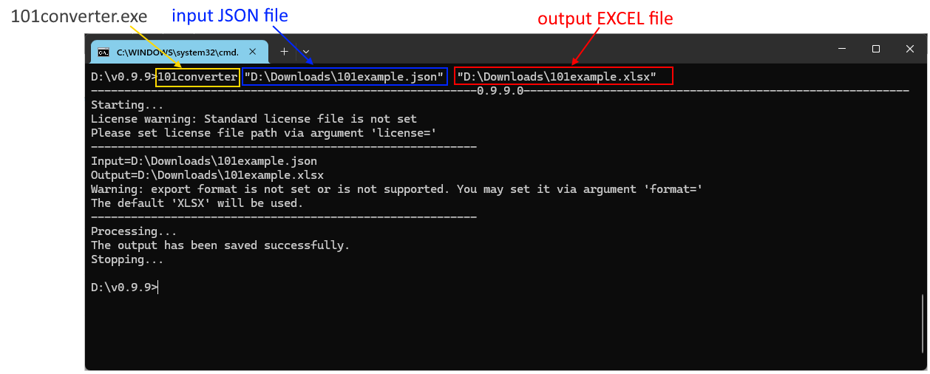
The 101converter.exe console application quickly converts JSON to Excel (without opening the windowed application 101editor.exe)
Steps
- Open Command Prompt.
- Navigate to the 101editor directory.
- Pass input/output/format arguments as in the examples below:
- 101converter.exe input="D:\input.json" output="D:\output.xlsx" format=XLSX
- 101converter "D:\input.json" "D:\output.xlsx" format=XLSX
- 101converter "D:\input.json" "D:\output.xlsx" . The XLSX will be used as the default export format.
- 101converter "D:\input.json" User will be asked to provide the output file location
Both 101converter and 101editor applications may use the same license file. You may specify the path to the license file via a command-line argument:
- 101converter.exe input="D:\input.json" output="D:\output.xlsx" format=XLSX license="D:\101license.lic"